Track Every Play, Master Every Game

Professional-grade player event tracking for Gaelic Games and Soccer. Real-time statistics, comprehensive analytics, and offline capability — all in one powerful mobile app.

Powerful Features for Game Day

Multi-Sport Support

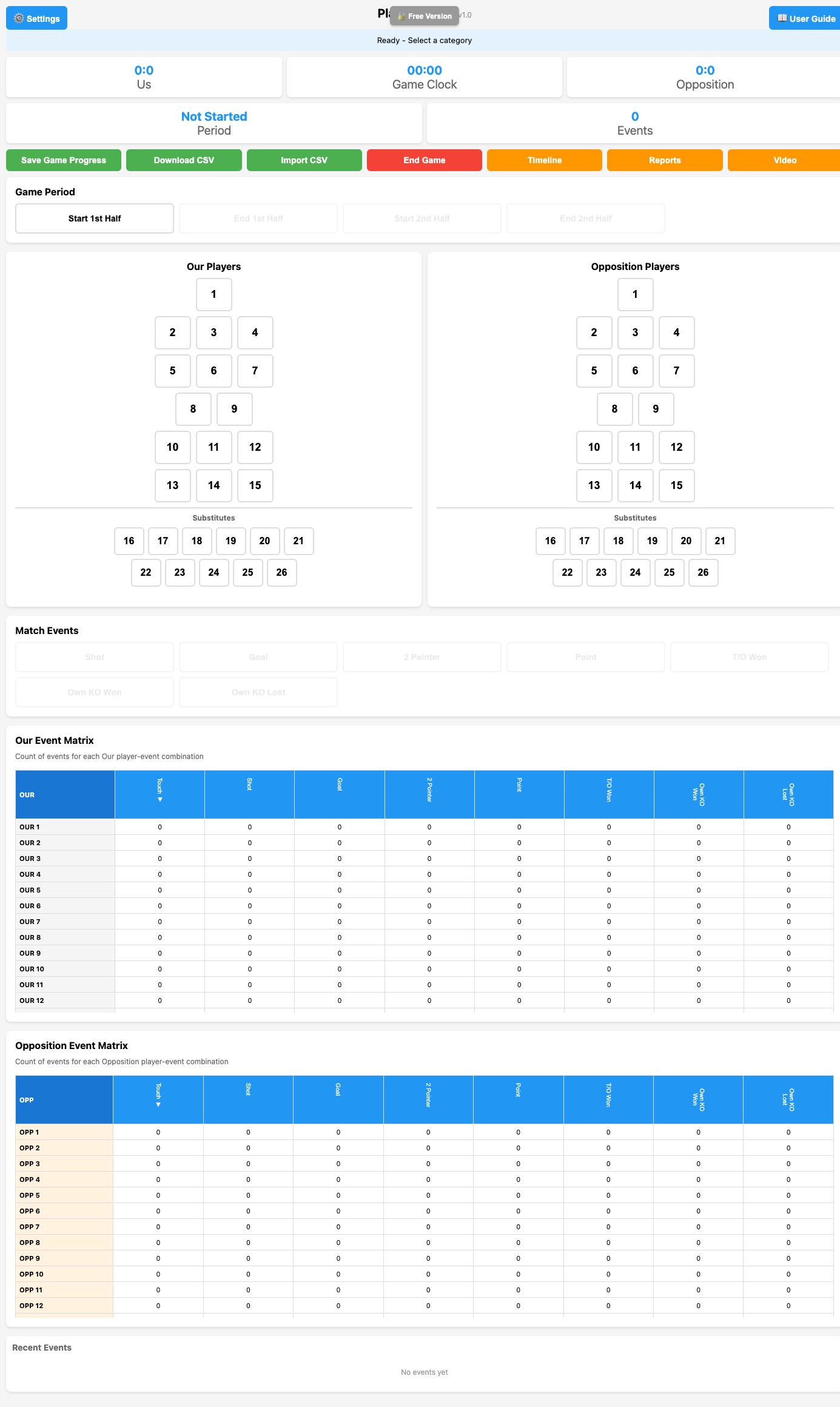
Track Gaelic Games (GAA) with traditional 15-player formation or Soccer with 4-4-2 formation. Sport-specific layouts and player configurations.

📊

Real-Time Analytics

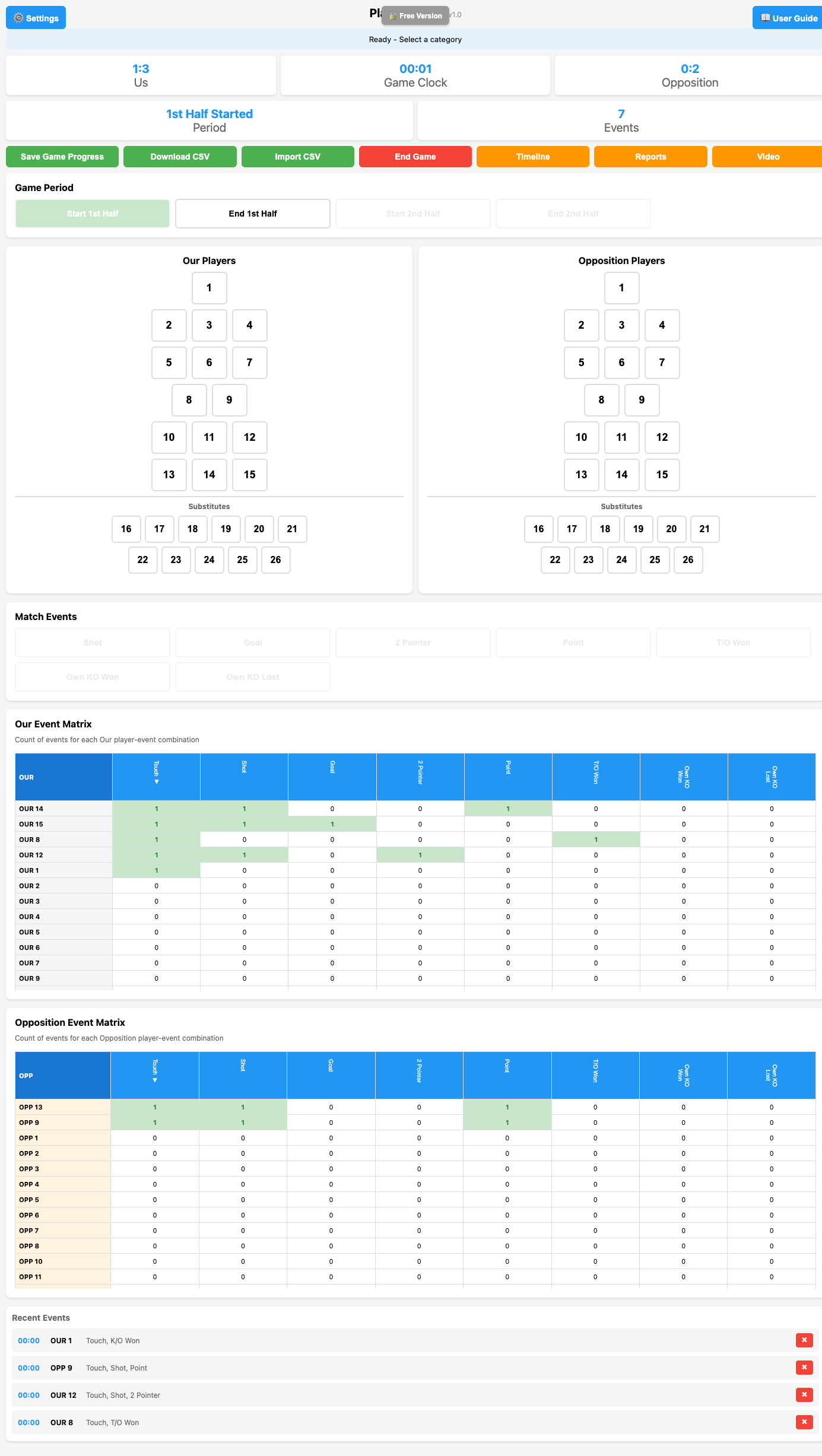
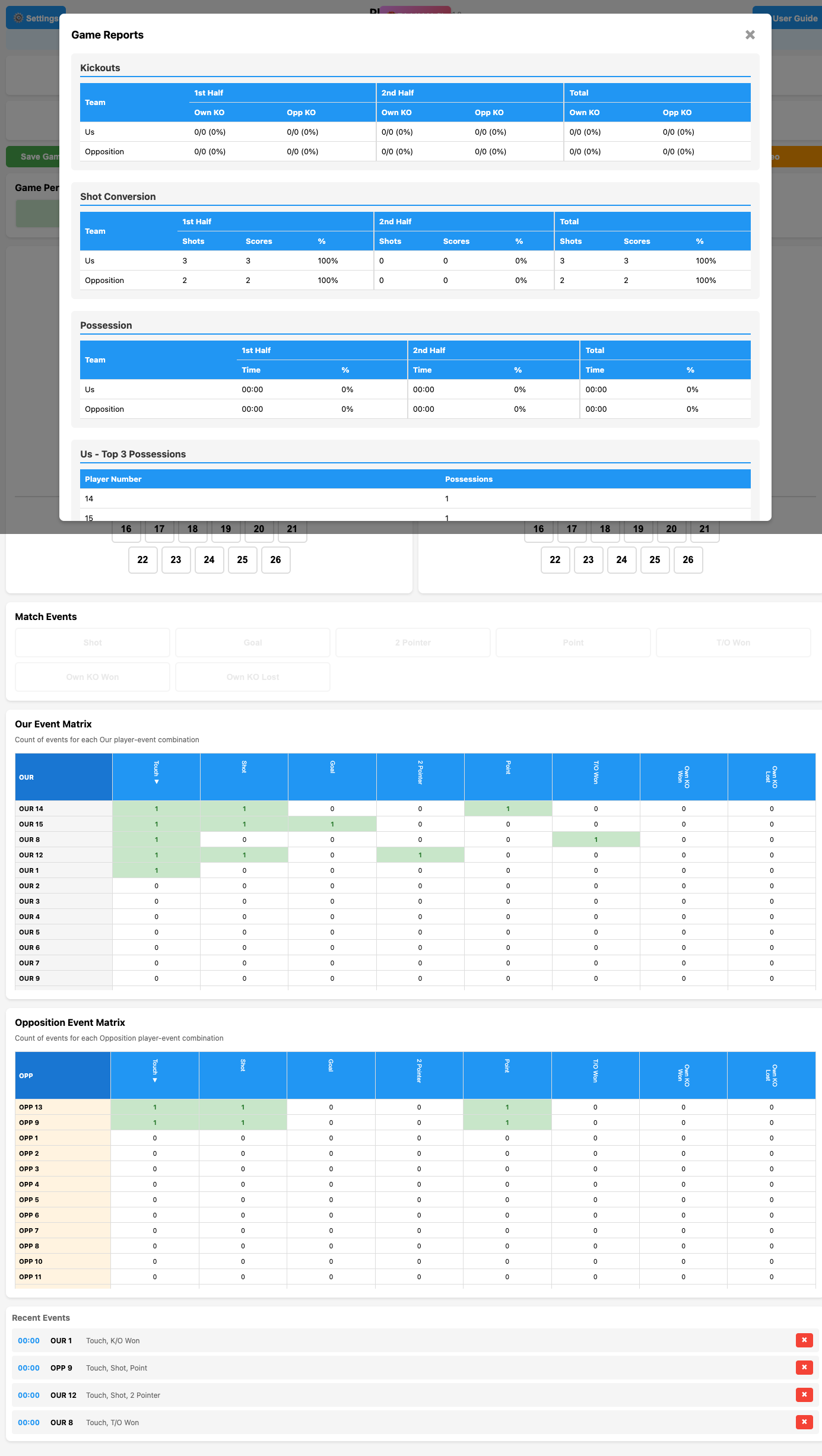
Live scoreboard, event matrices, and sortable statistics update instantly. Track possessions, shot conversion, and kickout success rates.

⏱️

Game Clock & Periods

Automatic timer tracking with period management. Half-time scores captured automatically for post-game analysis.

📱

Mobile-First Design

Optimized for tablets and phones. Use during live games with quick touch controls and intuitive player selection.

💾

Save & Export

Multiple checkpoint saves per game. Export to CSV for analysis. Import games from other users or devices.

🔌

Offline Capable

Works completely offline. All data stored locally in your browser. No internet required during games.

Supports Your Sport

🏐 Gaelic Games (GAA)

Traditional formation with 26 total players

  • 1 Goalkeeper
  • 3 Full Backs (positions 2-4)
  • 3 Half Backs (positions 5-7)
  • 2 Midfield (positions 8-9)
  • 3 Half Forwards (positions 10-12)
  • 3 Full Forwards (positions 13-15)
  • 11 Substitutes (positions 16-26)

⚽ Soccer

4-4-2 Formation with 22 total players

  • 1 Goalkeeper (position 1)
  • 4 Defenders (positions 2-5)
  • 4 Midfielders (positions 6-9)
  • 2 Forwards (positions 10-11)
  • 11 Substitutes (positions 12-22)

Choose Your Plan

Free

€0/forever
  • Full game logging
  • Unlimited players & events
  • Default event descriptors (9 types)
  • Live scoreboard & game clock
  • Event matrices & statistics
  • CSV export for current game
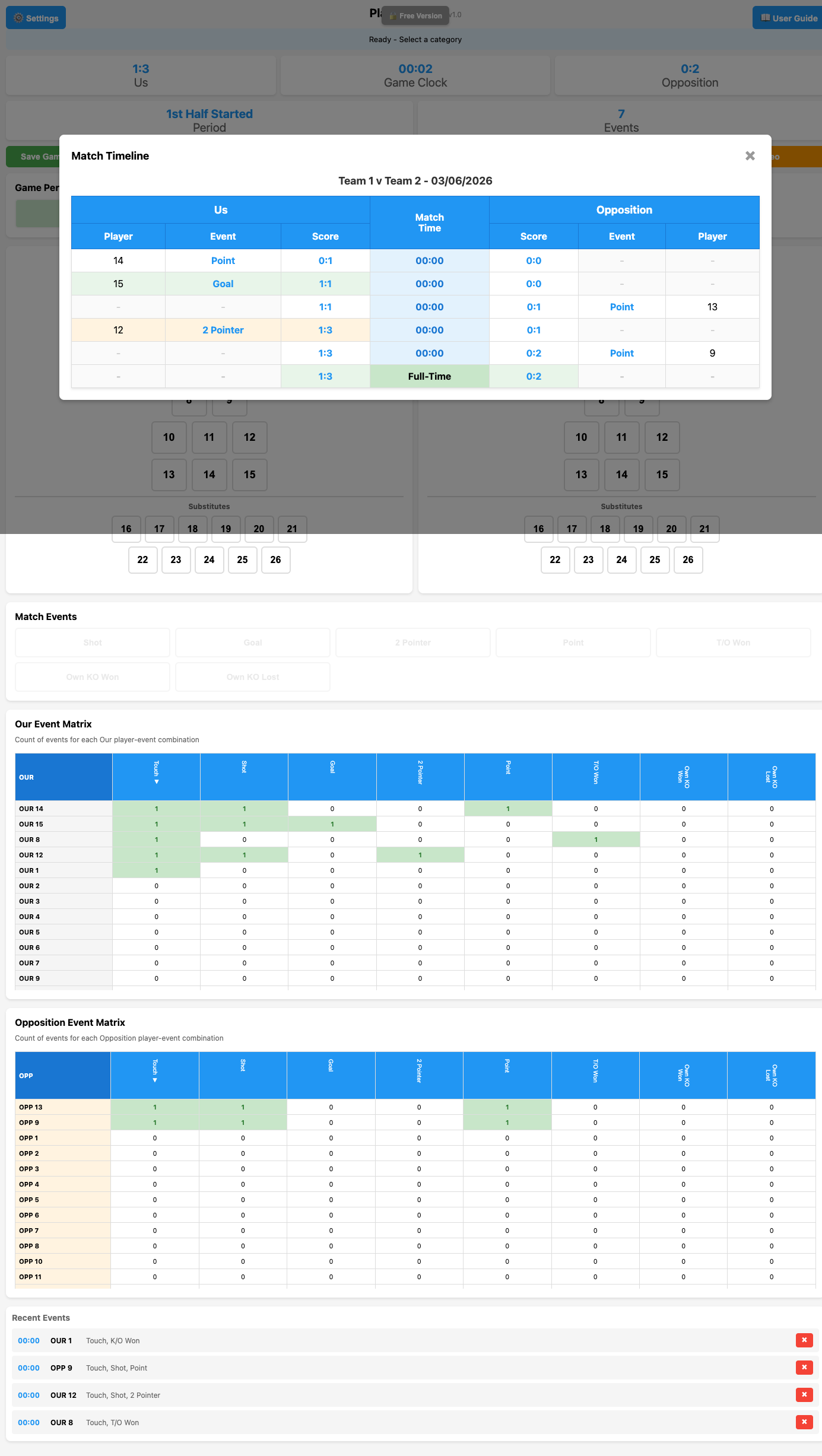
  • Timeline view
  • Offline PWA capability
Get Started

Premium

€59.99/year

14-Day Free Trial

  • All Free features, plus:
  • 📊 Detailed Game Reports & Analytics
  • ⚙️ Custom Event Descriptors
  • 📥 CSV Import from other users
  • 💾 Save Game Progress (checkpoints)
  • 📂 Load Saved Games
  • ⬇️ Download Saved Games as CSV
  • 📈 Shot Conversion Statistics
  • 🥅 Kickout Win/Loss Analysis
  • 🏆 Top Performers Reports
Start Free Trial

Quick Start Guide

1

Start a New Game

Click Settings → Select your sport (Gaelic Games or Soccer) → Enter team names → Click "New Game". Player layout automatically adjusts to match your sport.

2

Begin Tracking

Click "Start 1st Half" to begin the game timer. Select a player from the formation, add event descriptors (Shot, Goal, Point, etc.), and events are saved automatically.

3

Monitor Real-Time Stats

View live scoreboard, game clock, and event matrices updating in real-time. Check Recent Events panel to review or delete any mistakes.

4

View Analytics

Click "Timeline" for chronological scoring view or "Reports" (Premium) for comprehensive analytics including possession stats, shot conversion, and top performers.

5

End & Export

Click "End Game" to save final data. Export to CSV for analysis. Option to start a new game immediately or keep data visible for review.